The Best Parrot Photos for AI Dance Videos
What makes a parrot photo work in an AI dance video: one bird, full body, eye level, even light and sharp focus — plus species notes and phone settings.
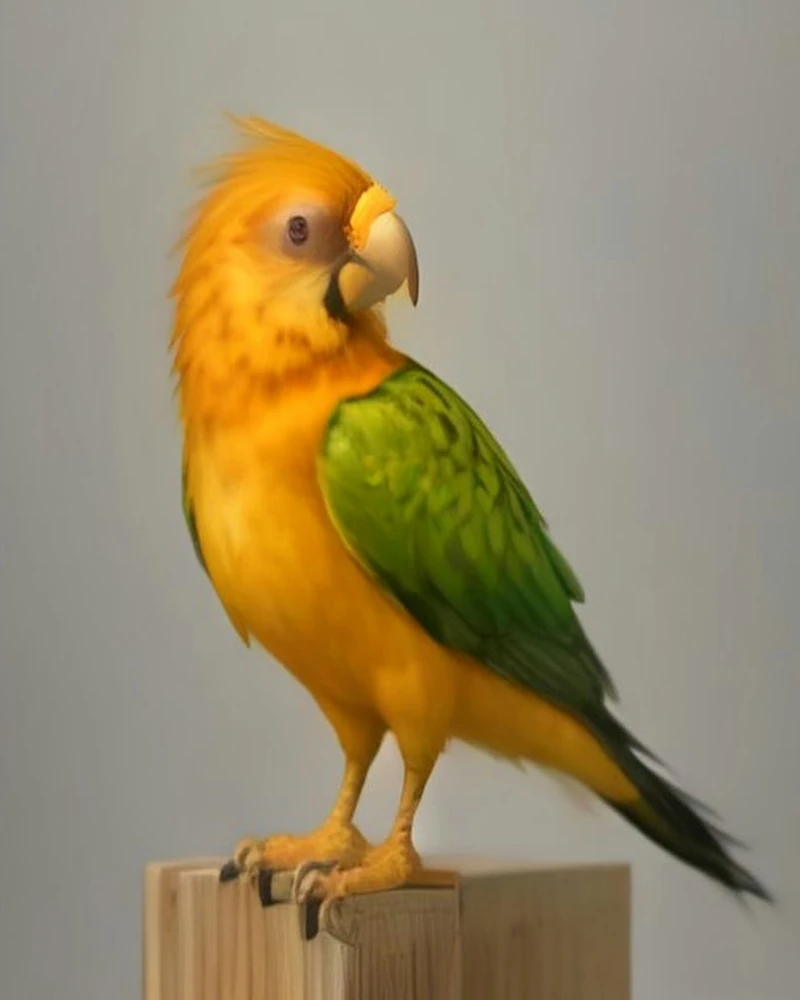
The best photo for an AI parrot dance video is a sharp, evenly lit, full-body shot of one bird at eye level, with the head, wings, tail and both feet visible and nothing covering the body.
That is the whole test, and most rejected photos fail it for an ordinary reason: they were taken as photographs of a pet, not as source material for a render. A photo you love because your bird is on your shoulder, half-turned, backlit by a window and slightly blurred is exactly the photo that produces a video of a vaguely similar green bird. A plain, front-lit, slightly boring portrait is the one that comes back looking like your parrot.
This guide is the checklist we would give a friend before they spend a credit: the five conditions that decide whether a photo works, how those conditions change by species, the mistakes that are easy to miss, the phone settings that help, and a printable list you can take to the perch.
Key facts
- One bird, whole body. The model animates what it can see; a missing foot or wing tip gets invented.
- Eye level beats top-down. Shooting from above flattens the body and hides the wings.
- Even front light. A window behind the bird turns it into a silhouette.
- Accepted files: JPG, PNG, WebP or HEIC, up to 10 MB.
- What the photo controls: identity — species, plumage, beak, eye, crest, feet.
- What it does not control: the dance. That comes from a template or your own clip.
Why the photo does more work than the dance
A parrot dance AI render has two inputs, and they do different jobs. The photo tells the model who is dancing: species, plumage pattern, beak shape, eye, crest, the shape of the feet. The dance clip tells it what to do: tempo, amplitude, the sequence of moves. Swapping the dance clip costs one render. Swapping the photo means every version you have already made is wrong.
That division of labour is visible in how the rest of this category documents itself. Motion Transfer, which sells a fixed parrot-barn scene, describes the uploaded photo as the appearance reference and warns that "facial details, clothing and movement can vary between generated results" [1]. Dreamina's parrot-dance prompts explicitly ask for believable anatomy, floor contact and consistent feather direction [2] — the details that break, and the ones a reference photo is supposed to anchor. Media.io sells the same promise in a single line, turning a pet photo into a funny parrot dance video, which is the whole format resting on one still [3]. None of these products is describing a filter. Each is describing a model that has to rebuild a bird from one still frame and then move it.
So the useful question is not "is this a nice photo of my parrot?" It is "does this photo contain enough evidence to rebuild my parrot?" A beautiful photo of a bird half-hidden behind a curtain is worse than a dull photo of the same bird standing in the open, because the second one has evidence: the full beak, the eye ring, the chest pattern, both feet.
There is a second reason to care. Identity is the part of the render you cannot fix afterwards. If the dance looks wrong you pick another template and render again in a few minutes. If the beak reads as the wrong species, no amount of re-rolling the same photo will fix it, because the photo is the input that told the model what a beak should look like.
The five conditions
Treat these as pass-or-fail. A photo that clears all five will usually render well on any of the four templates; a photo that fails two is not worth the credits.
- One bird, alone. Two parrots in frame is the most common mistake we see, and it is usually accidental: a second bird on the same perch, a reflection in a mirror, a poster in the background. The model has to choose which bird the photo is about. Sometimes it merges them; sometimes it animates the wrong one; sometimes a third bird appears in the render. Crop the friend out or, better, reshoot on a perch with one occupant.
- The whole silhouette. Head, wings, tail and both feet. A slightly cropped tail tip is survivable; a hidden foot is not. Feet matter more than people expect, because every dance template includes weight shifts and small steps, and the model needs to know where the bird is standing and how wide its stance is. A bird photographed on a soft cushion with its feet sunk into the fabric gives the model nothing to work with.
- Camera at eye level. The natural angle — phone above the bird while it sits on your shoulder or the floor — foreshortens the body, enlarges the head and hides the folded wings. The render then has no room to move without appearing to stretch. Kneel, sit, or put the phone on a stack of books so the lens is level with the bird's eye.
- Even light on the front of the bird. A window behind the bird is the classic failure: the camera exposes for the bright room, and the bird becomes a dark shape with glowing edges. Direct flash is the opposite problem — flat, hard light that blows out pale plumage and puts a glare disc in the eye. Soft daylight from the front, or a diffused lamp placed in front of the bird, keeps feather detail intact.
- Focus on the eye, nothing in front of the body. Cage bars, a toy, your hand, a perch crossing the chest: anything between the lens and the feathers uses up the pixels the model would otherwise spend on detail. Focus on the eye and check that the beak and chest are sharp too; a photo that is sharp on the perch and soft on the face will render as a soft face.
| Condition | What the render loses without it | The fix on the day |
|---|---|---|
| One bird | Wrong bird animated, merged bodies, extra birds | Clear the perch; check mirrors and posters |
| Whole silhouette | Invented feet, stretched wings, missing tail | Step back or use the main lens, not a tight crop |
| Eye level | Squashed body, hidden wings, oversized head | Kneel or raise the phone to the bird's eye |
| Front light | Silhouette, lost plumage pattern, dead eye | Turn the bird to the light, not the light behind it |
| Sharp, unobstructed | Soft face, smeared detail, cage bars baked in | Tap to focus on the eye; move the toy or bar |
One failure is usually recoverable. A photo with a cropped tail, shot at a slight angle, in good light, will often still render as your bird. A photo with two failures is a gamble, and a gamble costs credits and a few minutes of waiting.
Species by species: what has to stay in frame
The five conditions do not change by species, but the shape you are protecting does. A cockatiel makes a tall silhouette; a macaw makes a wide one. In a 9:16 frame, tall birds fit naturally and wide birds need distance.
| Species | Feature to protect | Framing note | Template that suits it |
|---|---|---|---|
| Cockatiel | Erect crest, orange cheek patch, long tail | Leave headroom above the crest; keep the tail tip inside the frame | Bam Bam Bounce |
| Budgerigar | Small body, long tail, barred head and wing markings | Fill the frame; a budgie photographed from across the room is too small to read | Tail Sway, Bam Bam Bounce |
| Macaw | Large bill, bare cheek patch, broad wings, long tail | Step back so both wing tips and the full tail stay in frame | Wing Flare |
| Monk parakeet (Quaker) | Stocky green body, long tapered tail, blue wing edges | Mid-distance, full body; watch for the tail leaving frame | Bam Bam Bounce, Tail Sway |
| Sun conure | Yellow-orange plumage, green wings, long tail | Underexpose slightly so the yellow does not clip to white | Party Strut, Bam Bam Bounce |
| African grey | Grey plumage, red tail, pale eye ring | Even light, or the grey feathers turn into flat mush | Tail Sway, Bam Bam Bounce |
Crested birds need headroom. If the crest touches the top edge of the photo, the model has no pixels above it and the crest tends to flatten during head movement — which is exactly the move the Bam Bam Bounce template is built around. Long-tailed birds need distance: a budgie or cockatiel photographed close enough to fill the frame usually loses its tail, and a lost tail is a tail the render has to invent. Big-winged birds need width. Wing Flare opens the wings, and a macaw whose wing tips are cropped at the edge of the photo will render with shortened wings or a strange crop as the model tries to make the movement fit.
One practical note on tiers: Bam Bam Bounce (19s) and Wing Flare (20s) are Premium renders on Seedance 2.5, while Tail Sway (13s) and Party Strut (11s) can render on either Standard or Premium. The photo requirements are identical on both tiers — both output 720p — so the photo you prepare does not change with the tier.
The output is 9:16, and the render is built to keep the photo's background and lighting consistent. In practice that means a clean background survives better than a busy one: a plain wall, a door, a soft curtain. A shelf full of toys behind the bird is not automatically fatal, but every object in the frame is another thing the model has to keep stable while the bird moves, and busy backgrounds are the first place small drifts show up.
Five common mistakes
| Mistake | What happens | Fix |
|---|---|---|
| A second bird in frame | The model picks one, merges them, or adds a third | Crop the friend out or reshoot |
| A hand holding the bird | The grip usually disappears or distorts; the bird's posture is defensive, wings tucked | Photograph the bird standing on a perch, not held |
| Window or lamp behind the bird | Silhouette, pattern lost, eyes go dark | Put the light in front and shoot with your back to the window |
| A toy, perch or cage bar across the chest | Bars get painted over or stay in the render; feather detail is lost | Move the obstruction, or shoot through an open door |
| A frame grabbed from a video or a heavy digital zoom | Soft edges, compression blocks, no fine feather detail | Shoot a fresh still with the main lens, close enough to fill the frame |
The pattern behind all five is the same: the model can only animate what it can identify, and anything that makes identification harder makes the render more generic. The photo you love because it caught your bird mid-squawk, wings blurred, is a great memory and a poor identity reference. The best input is usually the most boring photo you own: a still, well-lit bird, standing still, looking at the lens.
Phone camera settings that work
You do not need a camera. A recent phone with the main lens and a window is enough, provided you stop the phone from making decisions for you.
| Setting | What to choose | Why |
|---|---|---|
| Lens | Main (1x) lens | Ultra-wide bends the bird's proportions at close range |
| Zoom | Move closer, or use optical 2x | Digital zoom is interpolation, not detail |
| Focus and exposure | Tap and hold on the eye, then drag exposure down slightly | Locks the face; prevents the bird from blowing out |
| Flash | Off | Hard light flattens plumage and glares in the eye |
| HDR | On or auto | Keeps detail in bright plumage and dark shadows |
| Portrait mode | Off | Synthetic blur eats feather edges and invents a fake background |
| Format | HEIC or JPEG, highest quality | Both are accepted; the render needs pixels, not a filter |
| Burst | 5–10 frames | One will be sharp, and it is rarely the first |
The one-minute shoot:
- Set the perch near a window so the light falls on the bird's face, then stand with your back to the window.
- Kneel or raise the phone until the lens is level with the bird's eye.
- Fill the frame with the bird, leaving headroom for the crest and room for the tail.
- Tap and hold on the eye to lock focus, then pull exposure down until the brightest feathers stop blinking.
- Take a burst of 8–10 frames while the bird is still; talk to it, but keep your hands out of frame.
- Review at full size: eye sharp, beak sharp, both feet visible, tail inside frame, no bars across the chest.
- Pick the sharpest frame, not the most expressive one.
If your bird will not sit still, lower the stakes: photograph it just before a meal, when it is parked on a favourite perch and thinking about food. A bird that is waiting for breakfast is a bird that stands still for four seconds, which is all you need.
Printable checklist
Copy this into your notes app, or print it and keep it near the perch.
- ☐ One bird in the frame, no reflections
- ☐ Whole body visible: head, wings, tail, both feet
- ☐ Camera at the bird's eye level
- ☐ Crest and tail tip have margin inside the frame
- ☐ Light on the front of the bird, not behind it
- ☐ No window or lamp directly behind the bird
- ☐ Eye in sharp focus; beak and chest also sharp
- ☐ No hands, toys, perches or cage bars across the body
- ☐ Background simple enough to stay stable
- ☐ Main lens, no digital zoom, portrait mode off
- ☐ File is JPG, PNG, WebP or HEIC and under 10 MB
- ☐ Photo shows the bird's real markings, not a filter
If a photo fails three or more boxes, reshoot. If it fails one, it is usually still worth a render, and knowing which box failed tells you what to look at when the result comes back.
Do not over-edit the photo. Heavy sharpening, dehazing, colour filters and artificial background blur all push the image away from what the bird actually looks like, and the render inherits those choices. Crop only to remove distractions, never so tight that a foot or tail tip disappears.
If the photo is right and the render still drifts
Generating a dance from a still is an approximation, not a recording. The plumage and lighting can shift slightly from frame to frame, and moves that would need human limbs are translated into bird movements — a shoulder shimmy becomes a wing lift, a hip pop becomes a tail sway. That is a design choice, not a bug: handing the model human choreography is what produces parrots with arms. The AI dance transfer explainer goes deeper on why that happens.
| Symptom | Likely cause | What to change next time |
|---|---|---|
| Beak or eye reads as a different bird | Face is small in the frame or soft | Get closer so the head fills a third of the frame |
| Crest flattens or disappears | Crest is cropped or lost against a busy background | Leave headroom and use a plain background |
| Feet look wrong or vanish | Feet hidden, cropped, or on a soft surface | Show both feet on a hard perch |
| Plumage pattern drifts between frames | Photo is low-resolution or heavily filtered | Use an unedited, high-resolution frame |
One more expectation to set: the render is built to keep the photo's background, but it can be re-lit or slightly rearranged as the bird moves. A simple background gives the model less to get wrong.
When the photo is good, the choice that matters is the dance. The four templates guide maps each dance to species and scenes, and the templates page shows what each reference clip looks like. If you already have the photo and want the render, start with the generator; a failed render returns the credits, so a cautious first attempt costs nothing but a few minutes.
FAQ
Can I use a photo where my parrot is on my shoulder?
You can, but it usually renders badly. The bird is turned away from the lens, part of the body is hidden, and your shoulder and clothing become moving objects in the frame that the model has to keep stable. If it is the only photo you have, crop tight on the bird and expect the pose to be approximate. A fresh photo on a perch will beat it almost every time.
Does the background of my photo show up in the video?
Yes. The render is built to hold the photo's background and lighting while the bird moves, which is why a simple background is safer: fewer objects to keep stable, fewer places for small shifts to show. A busy shelf is not automatically fatal, but a plain wall, a door or a soft curtain is more likely to come back looking like the photo you sent.
What if my bird never sits still?
Photograph it when it is already stationary — before a meal, on a favourite perch, in the minutes before it settles for the night. A bird waiting for food will hold still for a few seconds, which is enough for a burst. Avoid chasing the bird around the room with a phone: a slightly imperfect still beats a sharp photo of a stressed bird.
Is a phone photo good enough?
Yes, if it is sharp and well lit. The output is 720p, so a clean 12-megapixel phone photo has more resolution than the render needs; what it cannot survive is softness, heavy digital zoom or a silhouette. Use the main lens, lock focus on the eye and take a burst. A dedicated camera helps only if it gets you closer without cropping.
What file types and sizes can I upload?
JPG, PNG, WebP and HEIC, up to 10 MB. Everything in this guide assumes a normal phone export; there is no advantage to converting to a rare format or upscaling a small image. If the file is over the limit, export a full-resolution JPEG rather than shrinking the bird.
Sources
- Motion Transfer, "Parrot Dance AI Video Generator" — prepared-scene product page describing the photo as an appearance reference and noting that details can vary. https://motiontransfer.app/parrot-dance-ai (accessed 2026-11-07)
- Dreamina (CapCut), "Parrot Dance AI Video Generator – Jamaican Bam Bam Pet Trend" — trend page whose prompts emphasise anatomy, contact, feather direction and barn lighting. https://dreamina.capcut.com/ai-video/parrot-dance-ai-video (accessed 2026-11-07)
- Media.io, "Parrot Dance AI Video Generator – Jamaican Bam Bam Pet Trend" — describes the pet-photo-to-parrot-dance format and its barn-and-flock scene. https://media.io/ai/explore/zone/parrot-dance-ai-video-generator (accessed 2026-11-07)